Your custom KIT installation kit solution – easy to configure
With our KIT Configurator, you can quickly and easily create a custom configuration for your KIT built-in system. Choose from a wide range of components and flexibly adapt them to your needs. In just a few steps, you’ll have a tailor-made solution.


Seven steps to finding the right faucet set. The KIT Configurator guides you step by step through the questions you’ll need to answer for your planning anyway: Which faucet is currently installed, how are the pipes routed, which system should you choose, and what’s already in stock? The result is a verified configuration with a 3D view and a parts list in PDF format.
Step 1
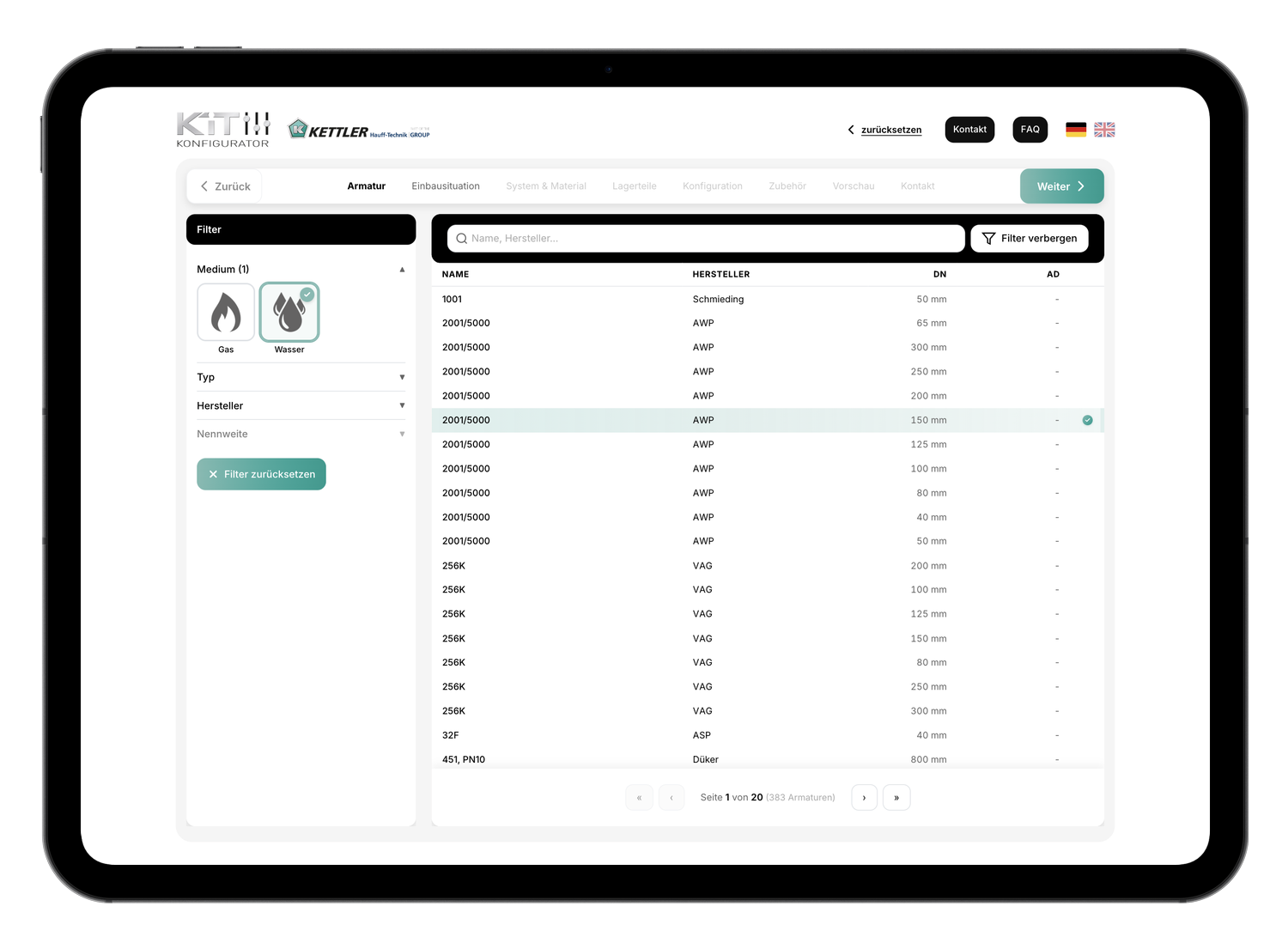
Fitting specifications
First, let's talk about the fixture. Select the medium—gas or water—and the manufacturer. The connection dimensions and compatible components depend on these choices, so everything else is based on this information.
Step 2
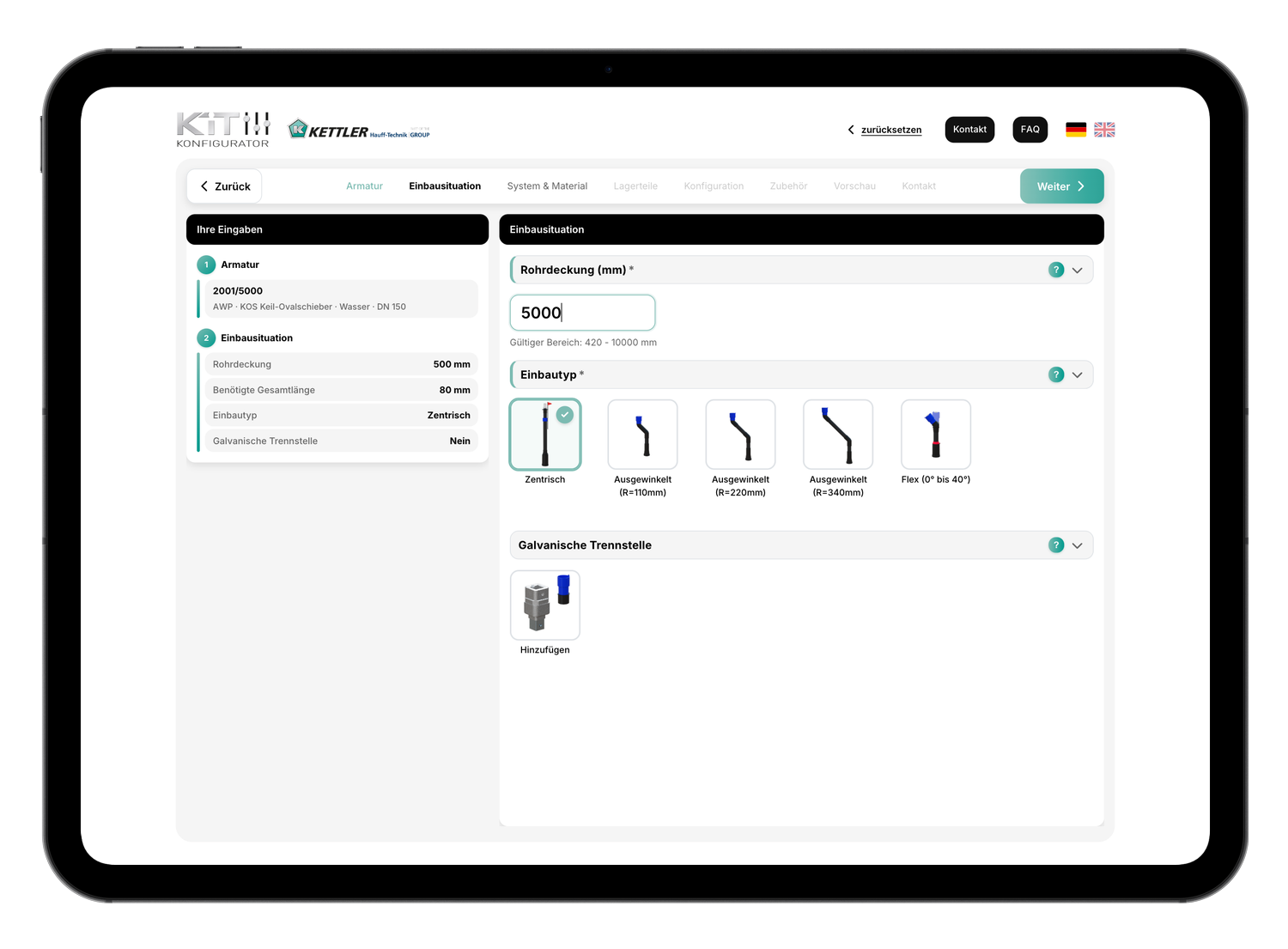
Installation scenario
Here, you describe the on-site conditions: How large is the pipe cover, and which installation type is suitable for the structural conditions? This ensures that the installation kit is designed to fit the actual installation situation.
Step 3
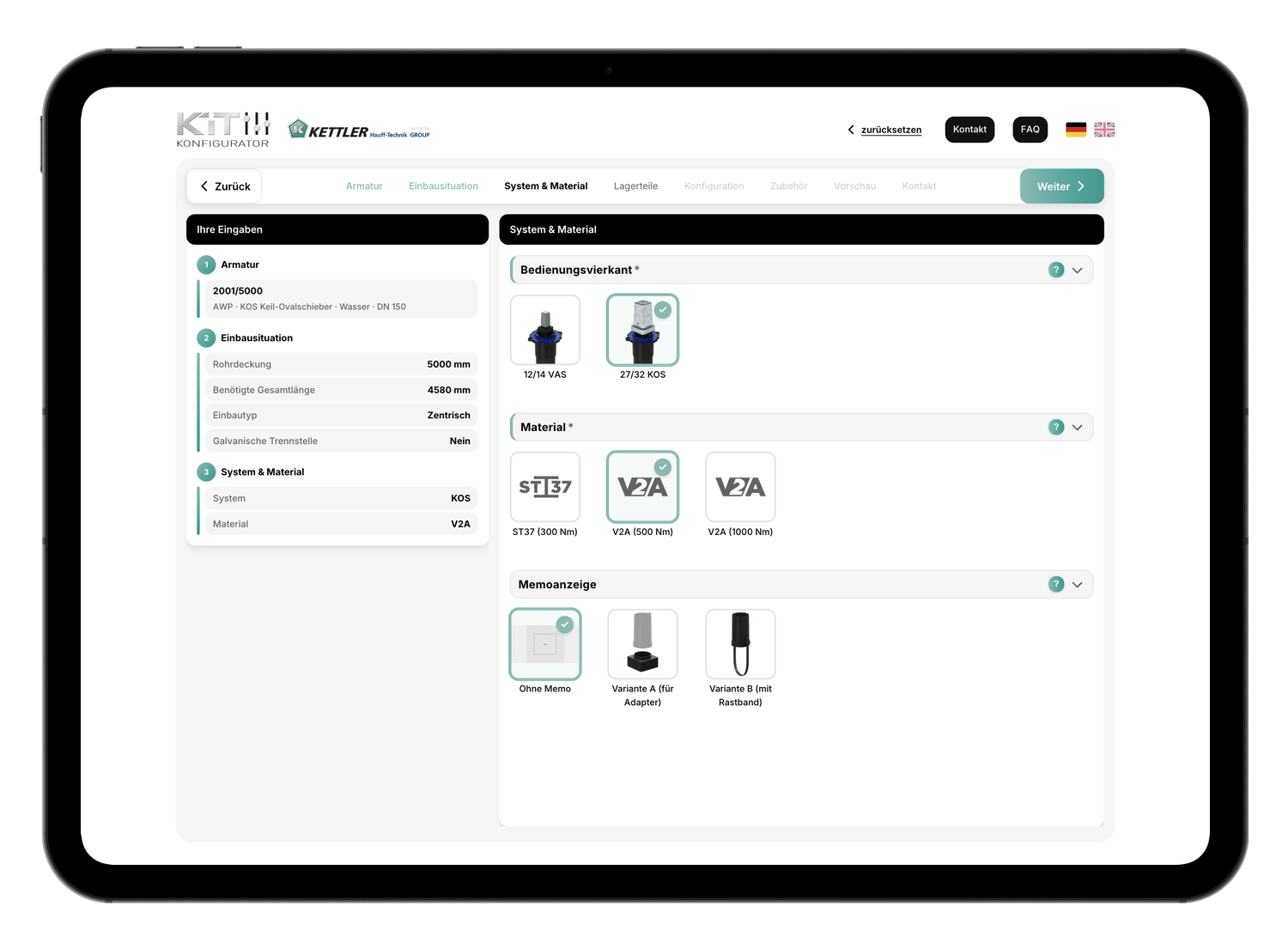
System and Materials
Select the system configuration and materials that meet your technical specifications and operating conditions.
Step 4
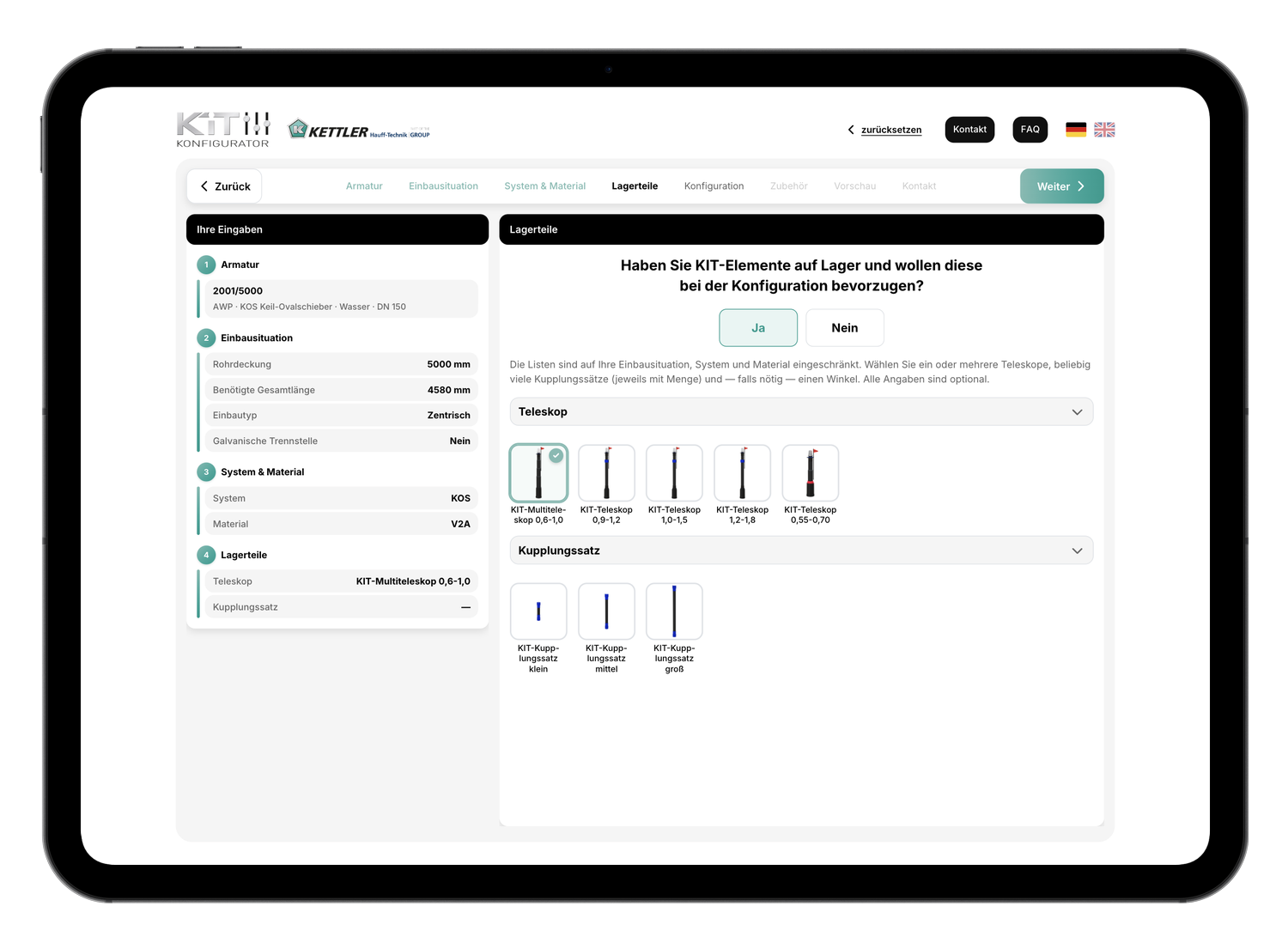
Bearing Parts
Do you already have KIT components in stock? You can optionally specify them here. The configurator will then check whether they can be used for your application and what additional components are needed. In the summary, you can see which parts from your inventory have been included in the plan.
Step 5
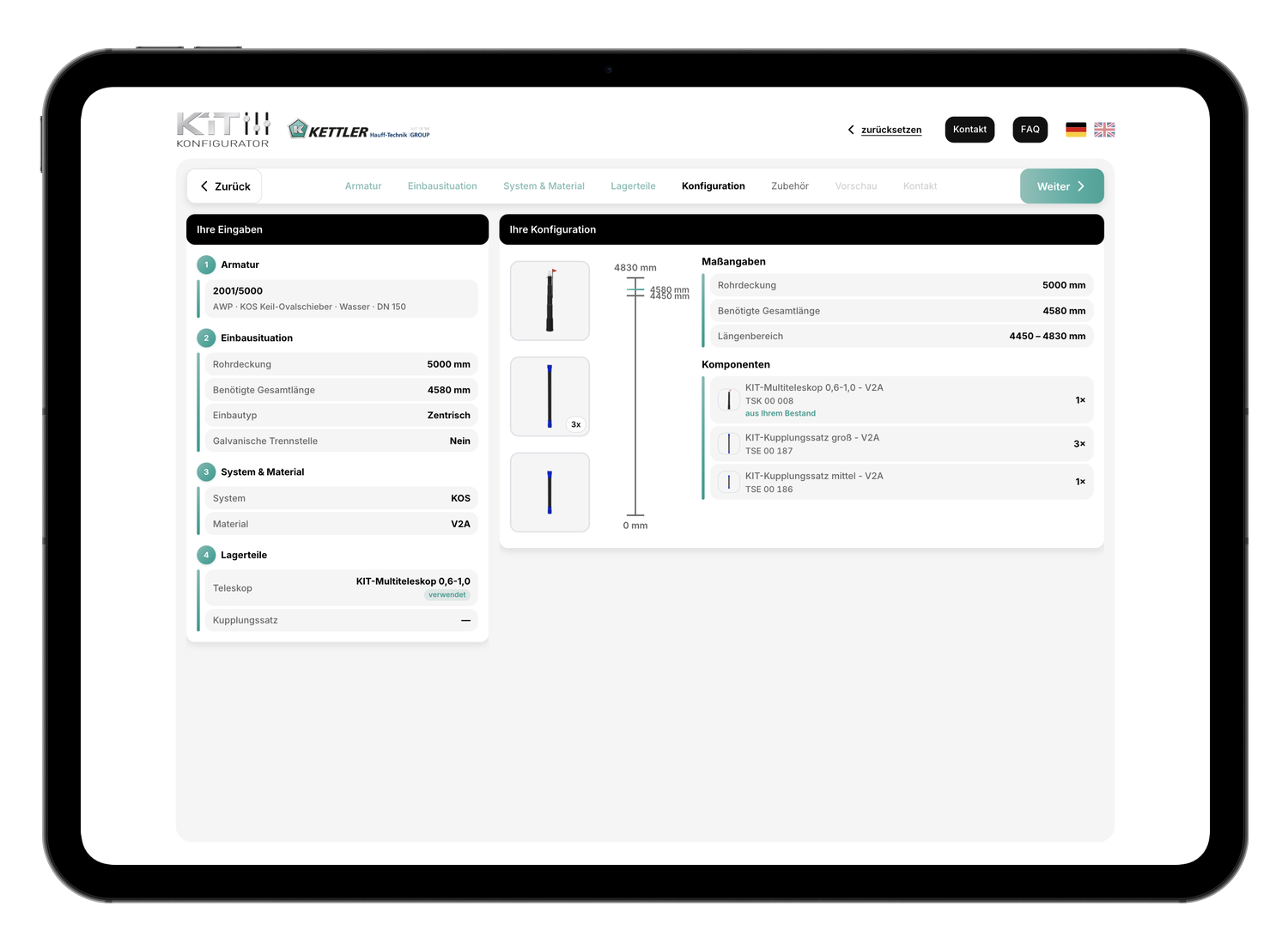
Configuration
Before moving on to the accessories, review the current status. Check whether the available dimensions for pipe coverage and overall length match your installation situation. If not, correct your specifications before continuing.
Step 6
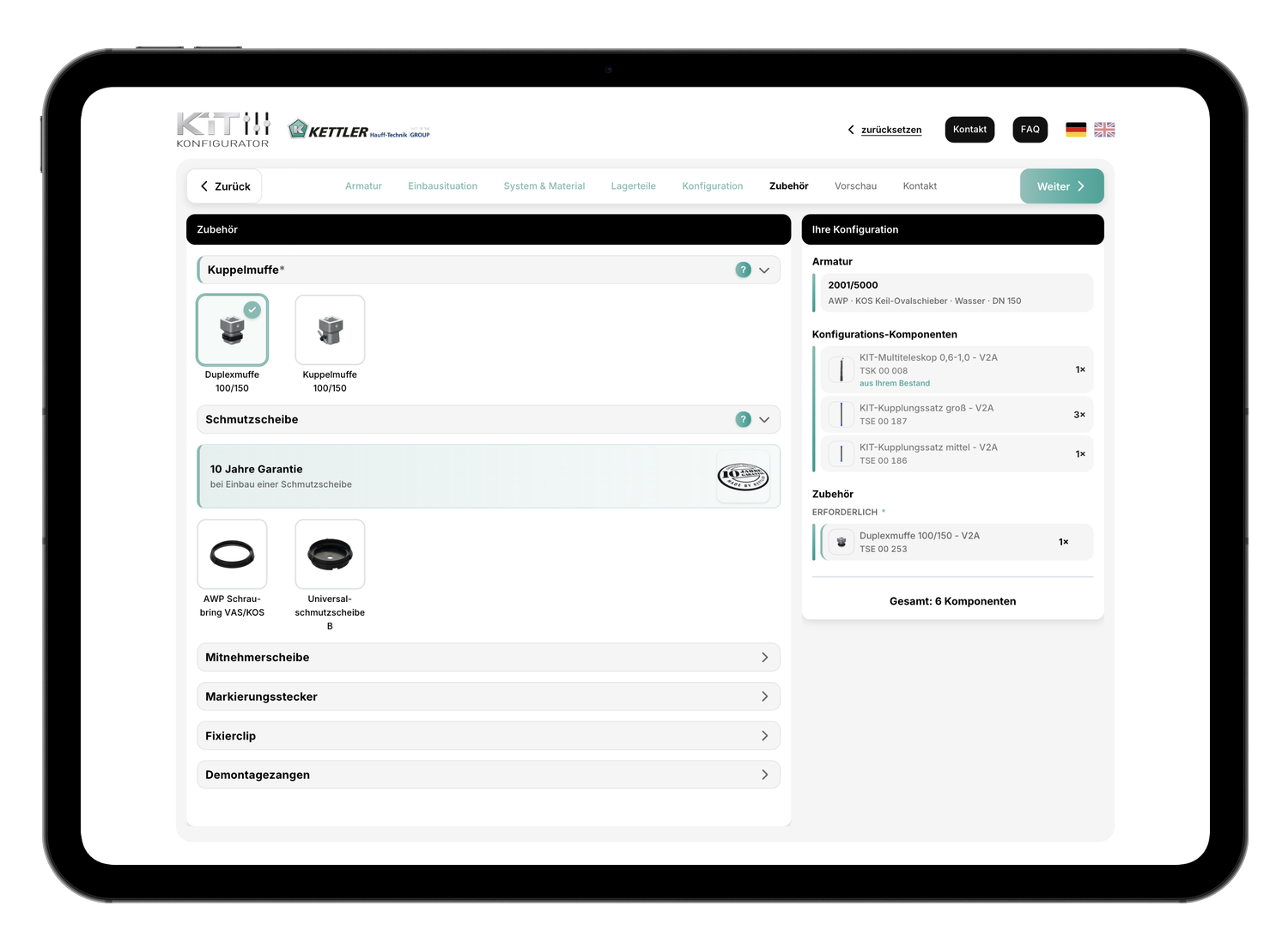
Accessories
Select the necessary accessories and add any optional parts as needed. Your configuration is then complete.
Step 7
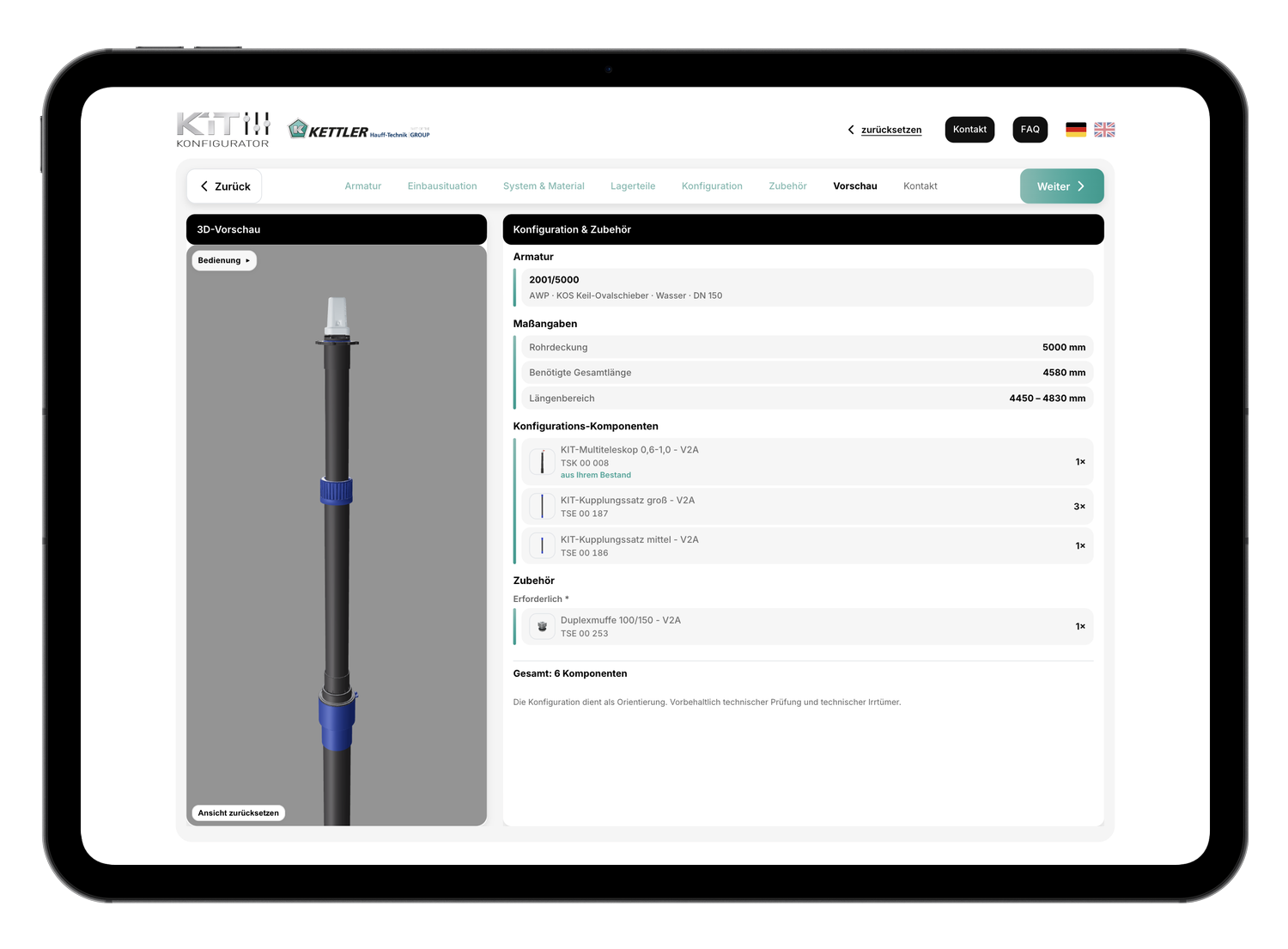
3D Preview
Finally, you'll see a 3D preview of your kitchen cabinet set, along with a complete list of all components. You can also download the configuration as a PDF under "Contact." If you have any questions or would like a quote, please contact us directly from here.